
keyword: vba excel Whileloop
Introduction
This article will analyze the use of the VBA Excel Whileloop. Looping is a super important concept in any type of programming including VBA and understanding the while loop is a good intro to looping as well as a very practically used function.
The VBA Excel while loop
With the use of loops you are be able to act on each element of in a set. It saves you from performing the same task over and over again.
Practical Uses of Loops
You can perform a lot of actions with the help of VBA loops. Here are a few reasons why you might start using loops in Excel:
- When looping through a range of cells, you will be able to highlight and analyze the cells with important texts.

- When looping through the various worksheets, it will allow you to protect or unprotect the sheets.

- When looping all the open workbooks, you will be able to save and close workbooks that are not in use.

- You can use a loop in charts for you to provide a border in the cell or even change the color of it.

- You can also loop through the various values in an array.
Now let’s jump into learning the proper syntax of loops.
Syntax of the Do While Loop
Let’s look at the syntax for a Do While loop
Do ‘Enter the code to be executed While (condition) Loop
Here is a sample code in order to further understand the Do While loop:
Sub loopexample()
Dim countme As Integer
countme = 1
Do While countme  ""
Cells(inta, 2).Value = Cells(inta, 1).Value + 15
inta = inta + 1
Loop
End Sub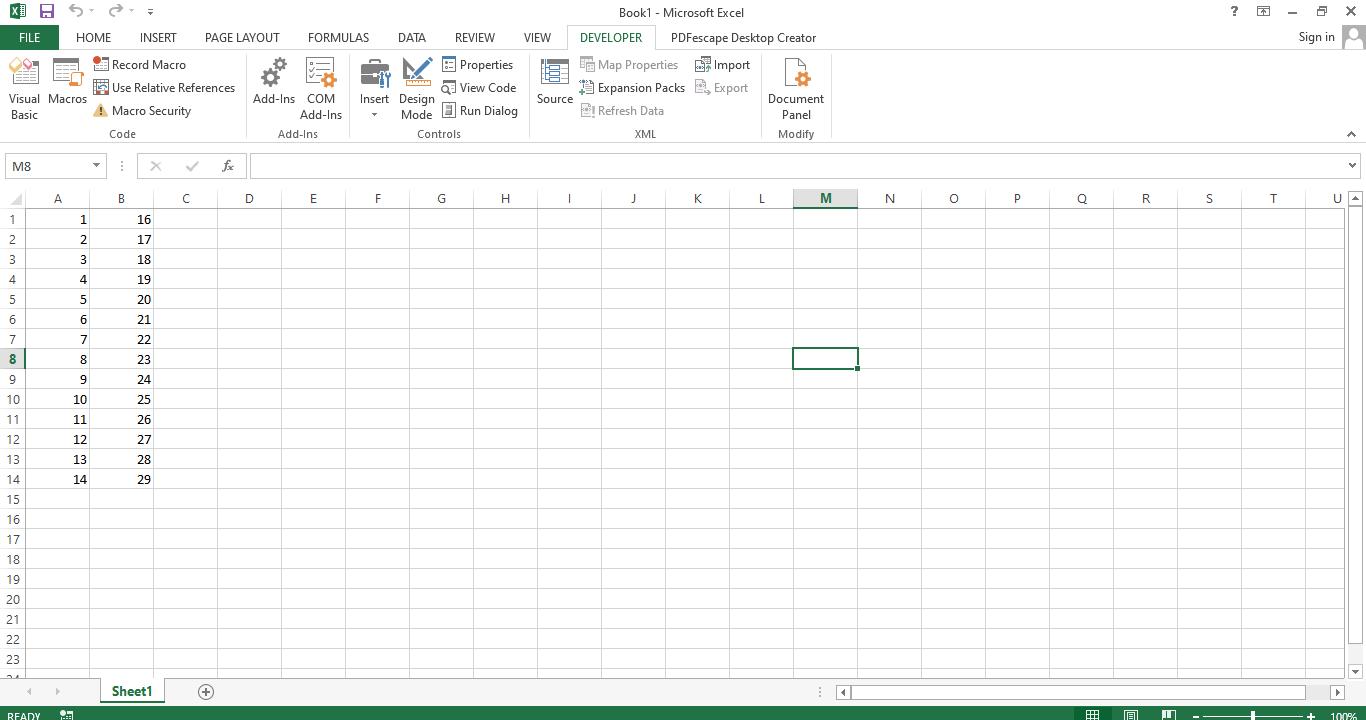
As you can see from the screenshot above, the values in the Column B were generate by taking the values in Column A and adding 15.
Computation Using the While Loop
Let’s look at another example of using the while loop to perform some calculations. In this case we the values in Column C are generated by multiply the value in Column A by 0.05 and the values in Column D are evaluated by adding Column A and Column B. Let’s see how we did that using the Do While loop.
Option Explicit
Private Sub CalculationUsingLoop()

Dim inta As Integer
inta = 2
Do While Cells(inta, 2) <> ""
Cells(inta, 3).Value = Cells(inta, 2) * 0.05
Cells(inta, 4).Value = Cells(inta, 3).Value + Cells(inta, 2)
inta = inta + 1
Loop
End Sub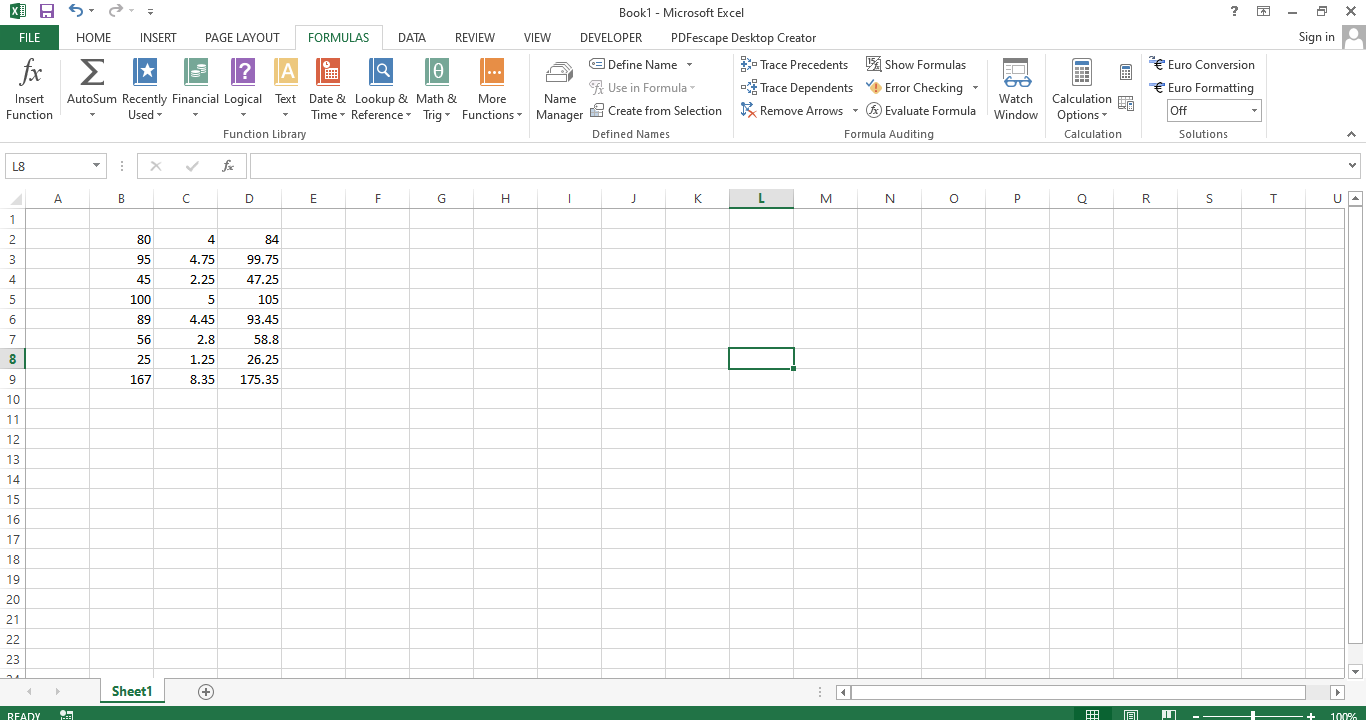
Conclusion
This concludes the article regarding the use and importance of using the while loop in Excel with the help of the VBA programming language. We hope you can use what you learned here to add more loops to your VBA to create cleaner and more productive worksheets.